
Kids mode, ages 5 to 12
Chess for kids, with a friendly coach beside them
Walnut Chess has a kids mode for young players. The whole app turns bright and simple, the coach talks like a kind teacher at a school chess club, and Walnut, a friendly talking walnut, cheers every good move. A parent or guardian sets it up and stays in charge. It's free, like everything else here.
What your child sees
Bright, big and friendly
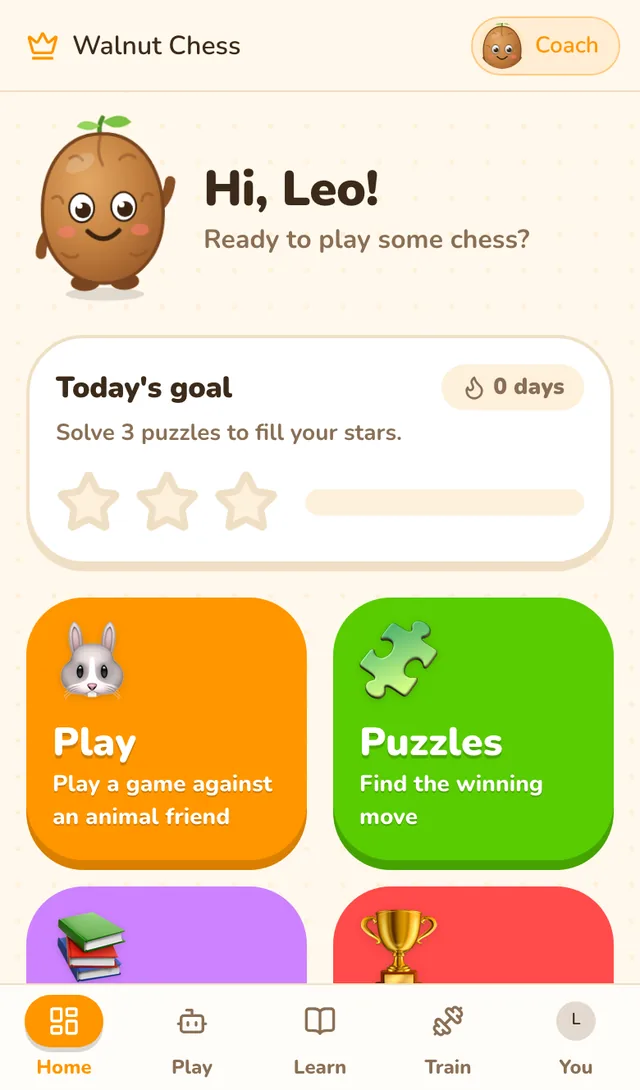
A home made for them
Walnut says hi, today's goal fills up with stars, and big buttons lead to games, puzzles and lessons.
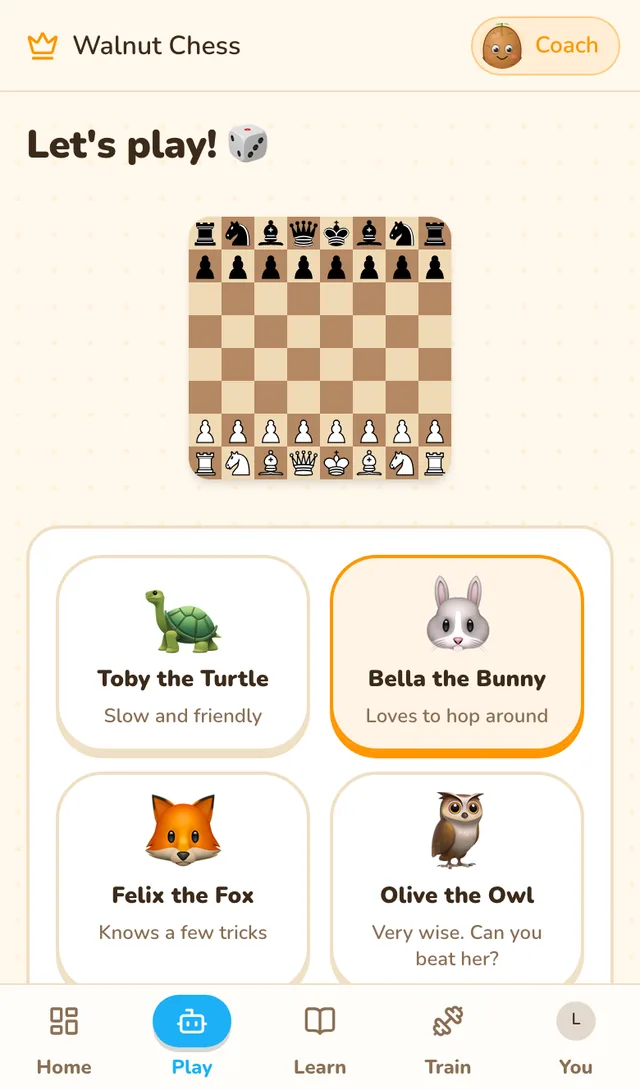
Animal friends to play
Four opponents from gentle to tricky, so a game is something they can win.
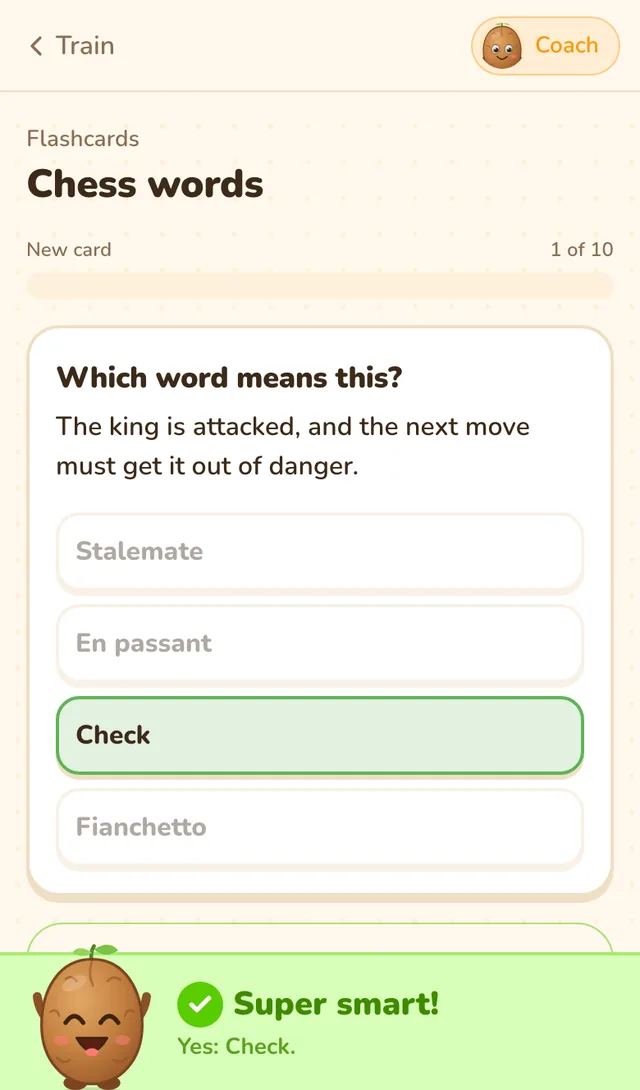
Learning that feels like a game
Flashcards, puzzles and lessons, with Walnut cheering every right answer.
How it works
Set up in two minutes
- Sign up with your own emailYou make the account, as the child's parent or guardian. The account is ready the moment it's made.
- Tell the coach a child will playThe first chat asks who will be playing. Answer "a child", confirm you're their parent or guardian, and kids mode switches on.
- Hand it overThe coach asks your child whether they've played before and starts them in the right place, from how the pieces move.
- See how they're doingA short Sunday note tells you what they played, solved and practised that week.
Made for 5 to 12
Everything a young player needs, nothing they don't
Walnut, their chess buddy
Cheers a good move, comforts after a mistake and throws a party for a win, with a new thing to say each time.
Reads it out loud
For children still learning to read, Walnut reads the coach's replies, hints, puzzle answers and flashcards aloud, with chess moves said as words. A grown-up can turn the voice off.
Opponents they can beat
Toby the Turtle, Bella the Bunny, Felix the Fox and Olive the Owl, from very gentle to quite tricky. Why that matters.
A coach that talks like a teacher
Short sentences, everyday words, one idea at a time, and every chess word explained the first time.
Stars, not ratings
A daily goal that fills up with stars instead of rating numbers, so it's about trying, not scores.
Lessons from the very start
How each piece moves, check and checkmate, then first tactics, a short step at a time, with flashcards to remember the words.
For parents
Safe by default, and you stay in charge
A kids account belongs to the grown-up who set it up. Here's what that means in practice. The details are in our privacy policy, and there's more in Is an AI chess coach safe for kids?
- Only a grown-up can switch it off. Turning kids mode off asks for the account password.
- No strangers. Kids accounts can't be found in friend search, and there's no chat between players. Friends come only through an invite link you share.
- The coach keeps to chess. It never asks for personal details, steers off-topic questions back to the board, and tells a child to talk to a trusted grown-up if something sounds worrying.
- No ads, no trackers in the app. Nothing is sold, and nothing extra about your child is asked for or kept.
- Delete it any time. Settings, Delete account removes the account and everything in it.
Questions
Parents ask
What age is it for?
Children of about 5 to 12. Younger ones will want a grown-up beside them at first; older ones often prefer the normal app, which you can switch to in Settings with the password.
Does it cost anything?
No. Walnut Chess is free for everyone, with no subscription, no premium tier and no card, and kids mode is part of it.
My child can't read yet. Can they still use it?
Yes, with a little help at the start. Walnut reads the coach's words, hints and flashcards out loud using your device's built-in voice, and the buttons are big and picture-led.
Can my child talk to other players?
No. There's no chat between players, and kids accounts can't be found by username. The only conversation is with the coach.
Who does the coach's talking?
The coach's words are written by Claude, Anthropic's AI model, working from the Stockfish chess engine, and told it's talking to a child. What your child types goes to Anthropic to write the reply and isn't used to train its models.
How do I see their progress?
A short email on Sunday lists the week's games, wins, puzzles and flashcards. Their daily goal and streak are on the home screen in the app.
Can brothers and sisters share an account?
It works, but each child gets on better with their own: the coach plans from one player's games. You can set up one account per child with different email addresses.
How do I turn kids mode off?
In the app, Settings, Kids account: switch it off and enter the account password. Everything your child did stays in the account.
Set up a kids account
Free, always. Sign up with your own email; the coach takes it from there.